Channels
Meet customers where they already are. One agent answers on your website and on WhatsApp Business, always from the same knowledge base.
One agent answers wherever your customers write, on your website and on WhatsApp, and acts in the tools your team already uses. Native channels, plus thousands more apps through Zapier, with no code.
Every integration plays one of three roles. Pick the channels your customers use, the sources the agent learns from, and the tools it acts on.
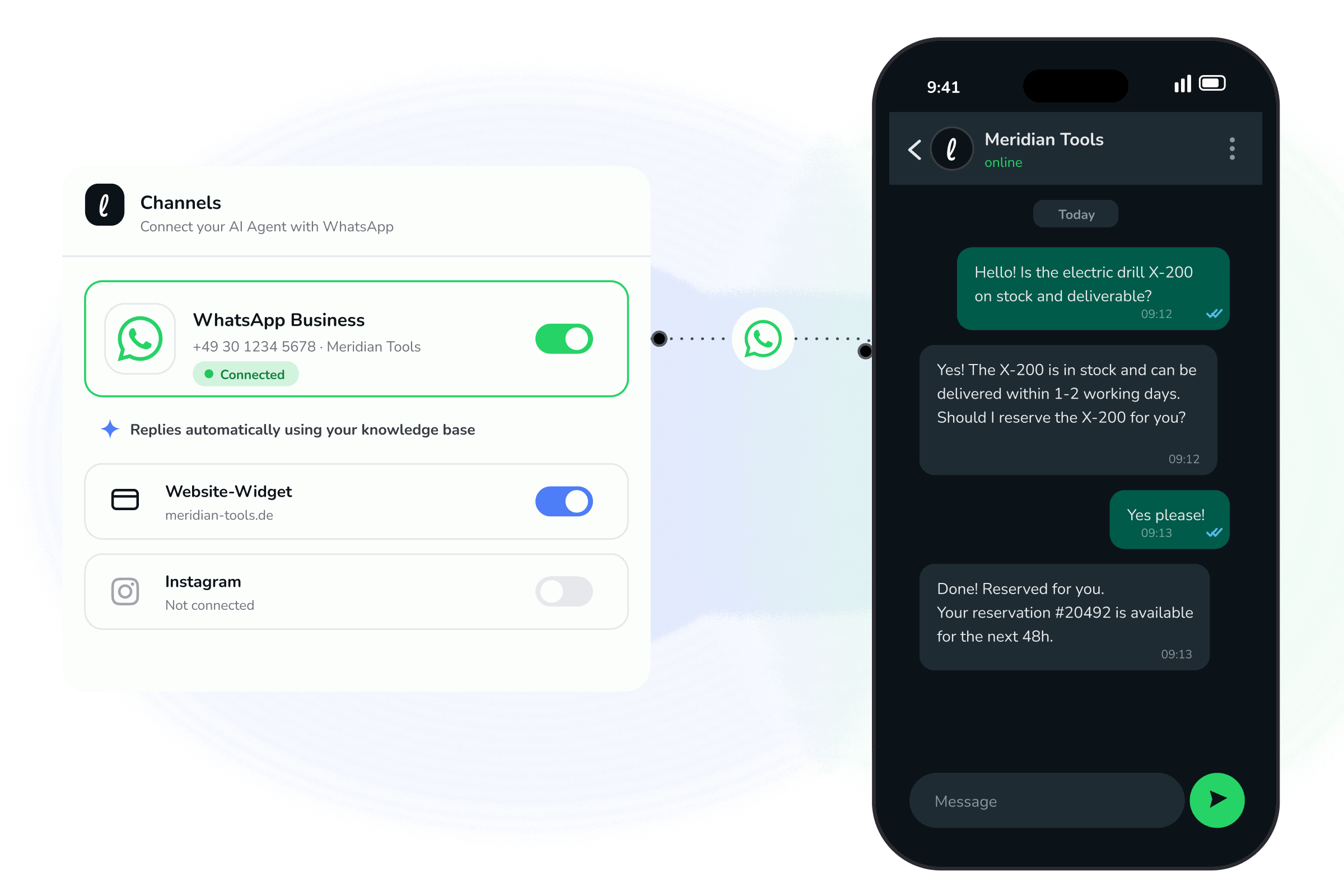
Meet customers where they already are. One agent answers on your website and on WhatsApp Business, always from the same knowledge base.

Ground every answer in your real content. Connect Notion, your website, and documents so the agent replies from facts, not guesses.

Turn conversations into outcomes. Through Zapier, the agent updates your CRM, opens tickets, and notifies the right channel across thousands of apps.




Connect a WhatsApp Business number and the agent answers there the way it does on your site: grounded in your content, around the clock.
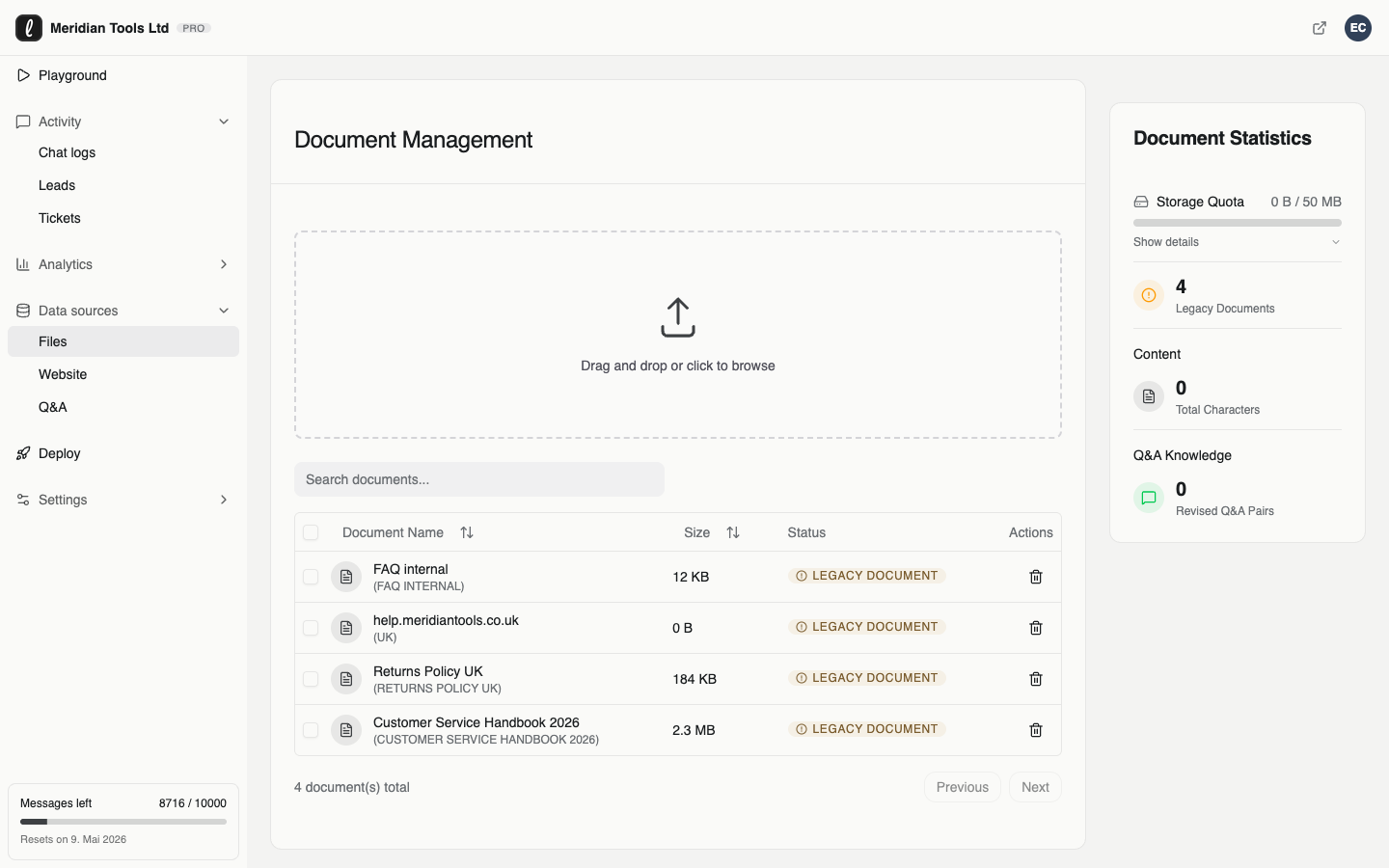
The agent answers from content your team already maintains: Notion, your website, and documents. Re-sync an imported Notion page after an edit so the knowledge source reflects the reviewed version.
When Leezy captures a lead, creates a ticket, or schedules a meeting, Zapier routes the trigger data into destination actions configured there, across thousands of apps.
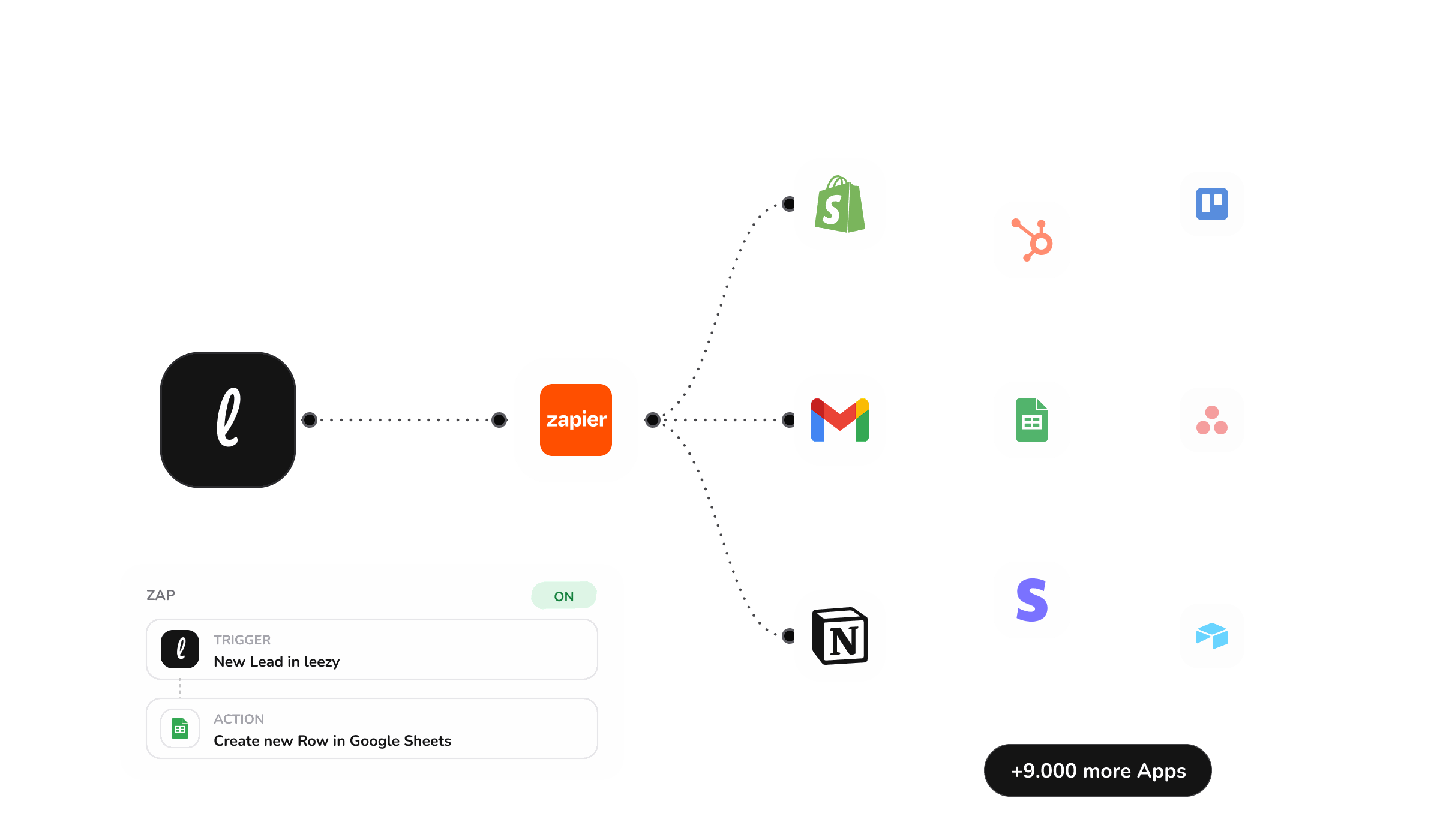
A new lead is captured, a meeting is booked, or a ticket is created during a conversation.
A Zap triggers the moment the event fires, with no polling or custom code.
Records land in the CRM, spreadsheets, or team channels, across thousands of supported apps.
Send supported lead fields to HubSpot or another destination configured in Zapier: contact name, email, phone, company, score, qualified flag, status, and timestamps.
Notify the right channel the moment the agent opens a support ticket.
When Meeting Scheduled fires, add a calendar event or start a follow-up action configured in Zapier.
A few ready-made flows teams put live in minutes. Each one starts in a chat and finishes in the tools you already run.

New Lead fires when contact details are captured, initially with score 0 and qualified false. Zapier receives the lead fields and can filter downstream using score or qualified.

When a new ticket is created in Leezy, Zapier can notify the selected Slack channel with supported trigger data.

The agent checks availability and books the meeting. Zapier can then log it or notify the owner through a Slack action configured in Zapier.
Edit a Notion page, run a re-sync, and the agent can use the processed new version without rebuilding the source manually.
The agent looks up order status and posts a follow-up task so nothing slips through.

When Meeting Scheduled fires, Zapier can add a Google Sheets row for the follow-up process configured there.
Connecting tools should not mean giving up oversight. You decide what the agent can do, see everything it does, and can pull a connection at any time.
When a conversation needs a person, the agent collects contact details and opens a ticket for your team.
Bookings, tickets, and tool actions are recorded in the dashboard, so you always see what ran and when.
Each action is a capability you enable per agent. Test it in the playground before it touches anything live.
Conversation data is stored in the EU, in Frankfurt, encrypted at rest, and never sold or shared.
Native channels and tools your team uses every day, plus thousands more through Zapier.
SlackWhatsAppNotionHubSpotZapier Messenger
 Teams
Teams Discord
 Intercom
 AsanaShopifyStripe
Running WordPress? See the dedicated WordPress integration.
Most connections take a few minutes. Native channels connect from the dashboard, and Zapier flows use ready-made triggers, so there is no custom code to write.
Only for apps that are not native. Channels, knowledge sources, calendars, and core tools connect directly. Zapier extends the agent to thousands of additional apps when you need them.
No. Notion is one option. The agent can also learn from your website and uploaded documents. Many teams use Notion as the main source because they already maintain their docs there.
On your website through the chat widget, and on WhatsApp Business. Both run on the same agent and the same knowledge base.
After a connected source changes, re-sync or re-import it in leezy. The updated source is processed before subsequent answers can use the new version.
Conversation data is stored in the EU, in Frankfurt, encrypted at rest. It is never used to train language models and never sold or shared with third parties.
Teams already building with leezy



Connect your content, test the agent, and go live in minutes. Start free and upgrade only when the math is obvious.