Connect your AI agent to 6,000+ apps with Zapier

An AI agent that captures leads is only useful if those leads reach the place your team actually works. In our consulting work we kept seeing the same broken seam: a chatbot collected good leads, and then those leads sat in a tool nobody opened during the day. The sale did not fail because the agent did a bad job. It failed because the handoff to the rest of the business never happened.
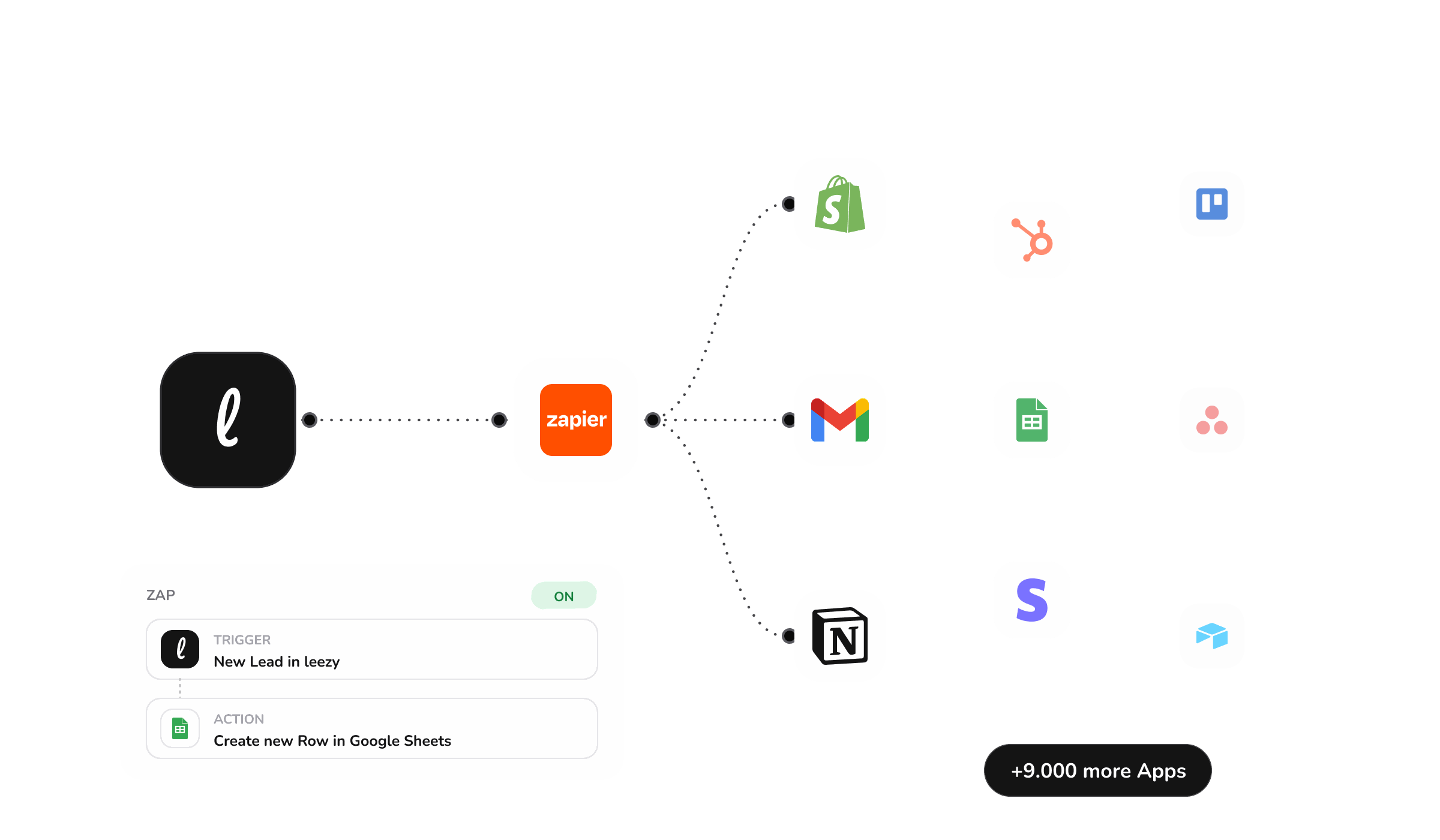
The Leezy.ai Zapier integration closes that seam. Your AI agent now connects to more than six thousand apps through Zapier, which means the leads and conversations it captures can flow automatically into the CRM, spreadsheet, inbox, or follow-up tool you already use.
Why this matters more than it sounds
"Connects to Zapier" reads like a checkbox on a features page. In practice it is the difference between an agent that generates activity and an agent that generates outcomes.
Think about what happens after a good conversation. Someone asked a buying question, the agent answered it and captured their details. That lead now needs to reach a salesperson, get logged against a company record, trigger a follow-up email, and maybe notify the right team. Doing that by hand is slow and error prone, and it is exactly the kind of work that quietly does not get done when everyone is busy.
Zapier lets you wire those steps once and forget about them. The agent captures the lead, and Zapier moves it everywhere it needs to go, in seconds, every time.
What you can automate
Because Zapier sits between Leezy.ai and thousands of other tools, the useful combinations are broad. A few that teams reach for first:
- Send every captured lead to your CRM. When the agent captures a lead, create or update the contact in HubSpot, Pipedrive, Salesforce, or whatever you run, with the conversation attached as context.
- Log conversations to a spreadsheet or data warehouse. Keep a running record of what customers ask, which is a surprisingly good source of product and content ideas.
- Trigger follow-up. Add a new lead to an email sequence, create a task for the right owner, or open a ticket so nothing waits on someone remembering to act.
- Notify the right people. Post to a channel, send an email, or message a team when a high-intent conversation happens, so a warm lead gets a human touch while it is still warm.
The value is not any single one of these. It is that you can compose them into a flow that fits how your business already works, without asking anyone to write code.
Where AI actions come in
There is a second, more powerful side to this. Your agent does not only answer questions. It can take actions during a conversation, such as collecting structured contact information or creating a record. Connecting those actions through Zapier means the agent moves from talking to doing: it can gather what it needs and push it into your systems as part of the same conversation, rather than leaving a human to transcribe a chat log afterward.
That is the real shift. A chatbot that answers questions is helpful. An agent that answers questions and then reliably completes the downstream work is a member of the team.
The business case
The outcome you are buying with a Zapier connection is speed and completeness of follow-up:
No lead goes cold waiting to be entered. The gap between "customer showed interest" and "someone can act on it" collapses from hours to seconds.
No manual data entry. Nobody copies details from a chat into a CRM, which saves time and removes the transcription errors that quietly corrupt your pipeline data.
Your existing stack stays your stack. You do not migrate tools or learn a new system. The agent plugs into what you already run.
Consistency. Every lead is handled the same way, every time, even at 11pm on a Sunday. Process that depends on a person remembering is process that fails under load.
Setting it up
You connect Leezy.ai in Zapier the same way you connect any other app: authorize the connection, choose a trigger such as a new captured lead, and pick the action you want in your other tools. From there you can build as simple or as elaborate a flow as you need. The integrations page lists what connects natively and what routes through Zapier, and the documentation walks through the connection step by step.
If your goal is turning website conversations into qualified pipeline, it is worth pairing this with the sales agent, which is built specifically to qualify and route leads rather than only answer questions.
Frequently asked questions
Do I need a developer to set this up? No. Zapier is a no-code tool. You authorize the connection and build flows by selecting triggers and actions from a menu.
Which CRMs does it work with? Anything Zapier supports, which covers the large majority of CRMs including HubSpot, Pipedrive, and Salesforce. If your CRM is in Zapier, your agent can reach it.
Can the agent do more than send leads? Yes. Beyond passing captured leads, the agent can take structured actions during a conversation, and Zapier lets those actions flow into your other systems automatically.
What if I need a native integration instead? Some tools connect directly without Zapier. Check the integrations page to see which are native and which are best routed through Zapier.
The fastest way to see the value is to capture one real lead and watch it land in your CRM without anyone touching it. You can start free, no credit card required, train your agent, and connect it to the tools your team already lives in.